

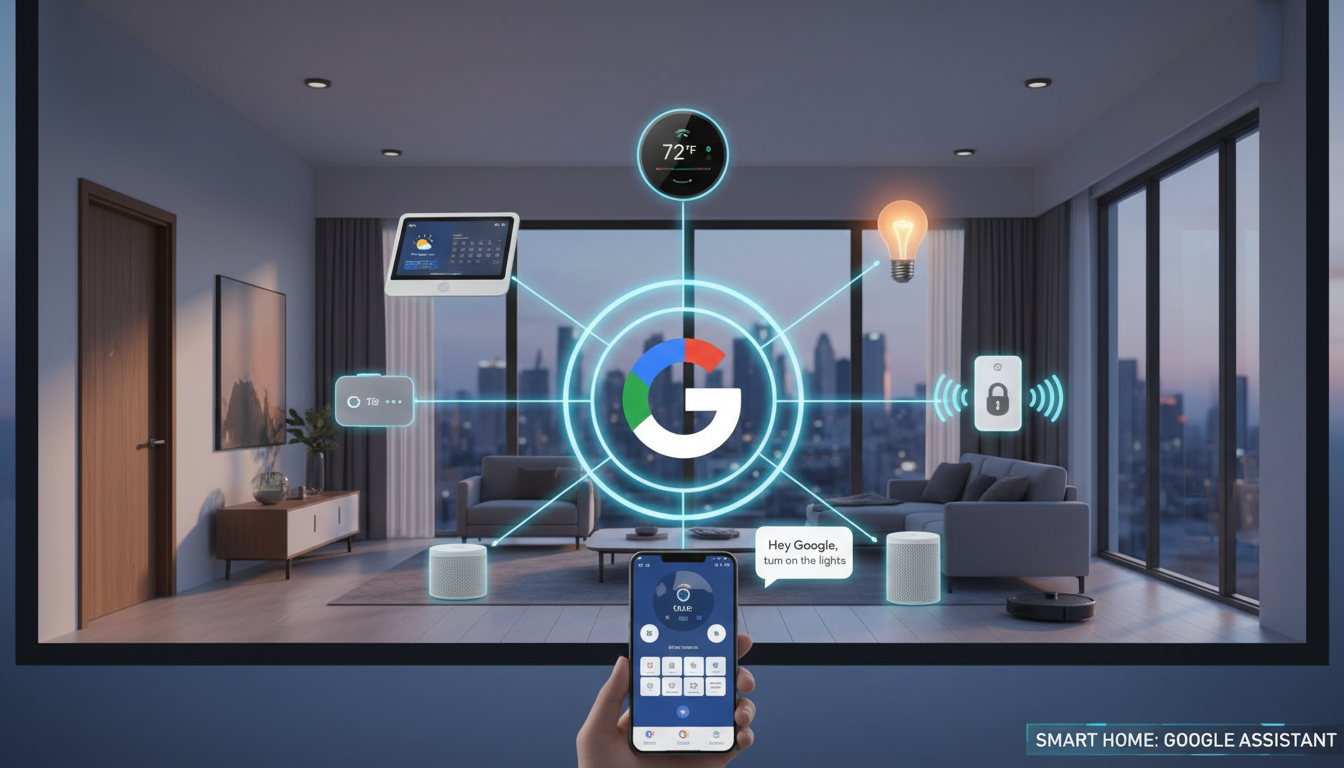
There’s a small moment that hooks most people into smart homes. Maybe it’s asking Google to turn off the lights while your hands are full. Or watching the house quietly power down at bedtime without tapping five different apps. If you’ve been curious about building a Google-powered smart home but felt overwhelmed by options, jargon, or setup horror stories, this article is worth a careful reading. It walks you through how to make your home smart with Google in an easy, practical, and approachable way.
What a Google Smart Home Really Is
A Google smart home runs on Google Home and Google Assistant. Google Assistant is the voice you talk to. The Google Home app is the brain that organizes everything behind the scenes.
A Google-powered smart home doesn’t require a full-house renovation, expensive proprietary gear, constant micromanagement, or any technical expertise or coding skills. Once it’s set up, it mostly stays out of your way.
Google really shines in a few practical, everyday ways. Voice control feels natural and conversational rather than stiff or robotic, which makes using it feel intuitive instead of performative. It also supports an enormous range of smart devices, so you’re rarely boxed into one brand or ecosystem. Routines and automation are powerful without demanding constant tweaking, and multi-user support works well for families, roommates, or anyone sharing a space, which means everyone can interact naturally without breaking the system.
Step 1: Start with the Right Google Basics
Before buying smart lights or plugs, you need to make sure your foundation is solid. In reality, you don’t need much: a smartphone (Android or iPhone), the free Google Home app, a Google account, and at least one Google Assistant–enabled device. While you can run Google Assistant straight from your phone, most people find the experience smoother and more natural with a shared hub in the home.
Choosing between a smart speaker and a smart display mostly comes down to how you live. A smart speaker like the Nest Mini or Nest Audio is great for voice control, smaller spaces, and bedrooms where you don’t need a screen. A smart display like the Nest Hub adds touch controls, visual feedback, cameras, timers, and routines, which makes it especially useful in kitchens and living rooms.
If you live with other people, a shared device turns smart home control into something communal and that’s when it really starts to feel effortless.
Step 2: Place Your Google Device Where Life Happens
Where you place your Google device has a bigger impact than most people realize. The right spot makes voice control feel natural and it helps routines blend into daily life. And Google Assistant is designed to respond from the closest speaker or display.
Good placement ideas:
- Kitchen counter: Perfect for timers, hands-free music, quick questions, and daily routines while you’re moving around.
- Living room: Ideal for shared control, entertainment, and managing lights or media everyone uses.
- Bedroom: Great for alarms, calming wind-down routines, and gentle morning starts.
- Hallway or entryway: Useful for lighting control and “leaving home” or “I’m back” routines.
Step 3: Choose Smart Devices That Actually Improve Daily Life
The most common beginner mistake is going all in too quickly. A smarter approach is to start with smart devices that make everyday life easier right away, then build from there.
Beginner-friendly smart home picks:
- Smart plugs: Instantly make lamps, fans, or even a coffee maker voice-controlled without replacing the device itself.
- Smart lighting: Enjoy dimming, schedules, and color changes without rewiring or permanent installation.
- Smart thermostat: Adds comfort and can lower energy bills, just be sure it works with your HVAC system.
- Smart doorbell or indoor camera: Not essential, but great for extra awareness and peace of mind.
Remember, before buying anything, look for the “Works with Google Home” label. That small check can save you a lot of setup headaches later.
Step 4: Connect Everything in the Google Home App
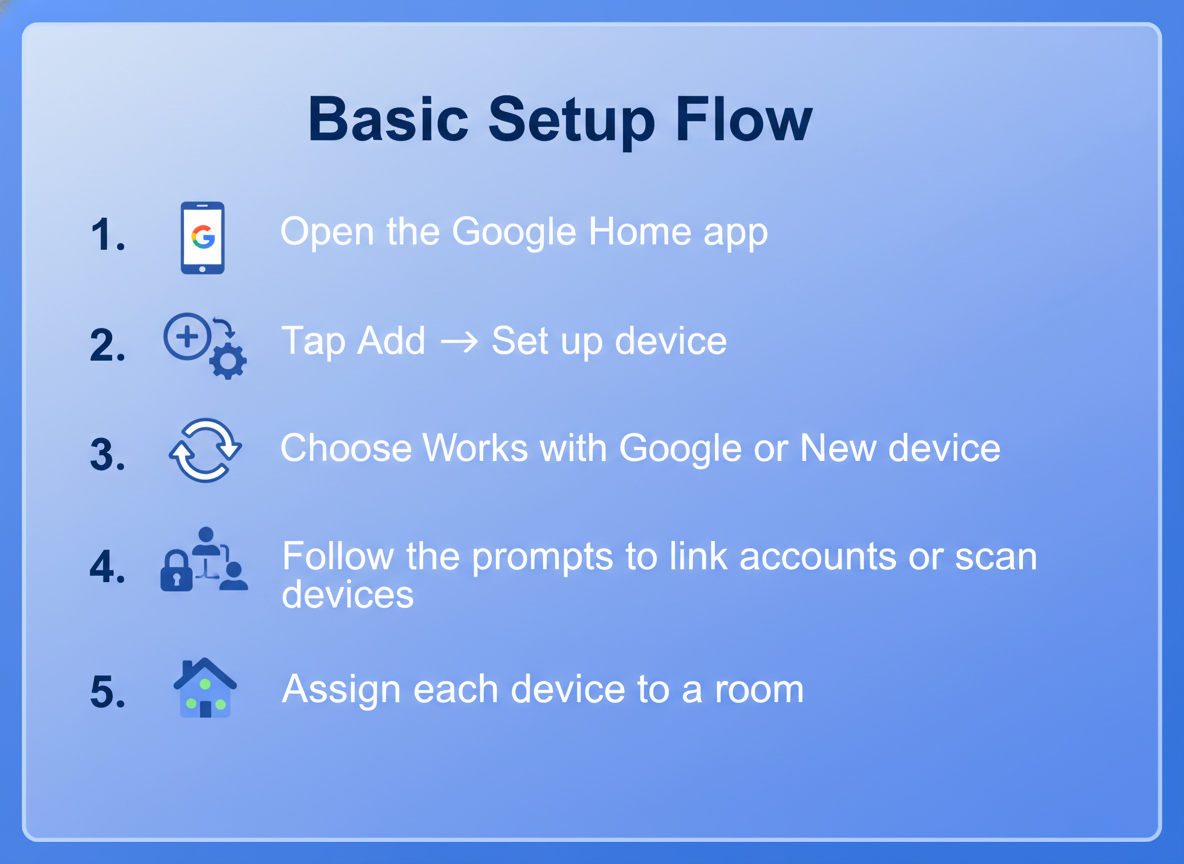
Basic Setup Flow
- Open the Google Home app
- Tap Add → Set up device
- Choose Works with Google or New device
- Follow the prompts to link accounts or scan devices
- Assign each device to a room
If something goes wrong, it’s usually a Wi-Fi issue or a missed permission prompt, so it’s worth checking those first.
Step 5: Name Devices Like a Human, Not a Spreadsheet
It may not be the most exciting part of setup, but naming your devices correctly makes or breaks the Google smart home experience. When names are unclear, Google Assistant starts asking follow-up questions like, “Which device did you mean?” Clear names, on the other hand, make voice commands feel instant and natural.
A few simple habits go a long way:
- Use everyday language, such as “Living room fan” instead of technical labels like “Fans Type 1”
- Don’t reuse vague names in multiple rooms
- Stay consistent
Step 6: Use Rooms to Simplify Control
Rooms are what transform a collection of smart devices into something that actually works together. Once everything is grouped the right way, your commands become simple and intuitive. You can say things like, “Hey Google, turn on the bathroom,” or “Hey Google, lower the living room air conditioner,” and the whole space responds at once. For most people, that’s the point when a smart home finally feels smart.
Step 7: Create Routines That Match Real Life
Routines are where a Google smart home starts feeling intentional instead of technical. A routine is a set of actions triggered by one phrase, time, or condition.
Routines People Actually Use
- Good morning: Lights on, weather update, music starts.
- I’m leaving: Lights off, thermostat adjusts, doors lock.
- Good night: Lights off, house quiets down, security arms.
Step 8: Let Automation Do the Quiet Work
Automation is what takes your smart home from “something you control” to “something that supports you.” Instead of giving commands all day, your home responds to patterns and context on its own. Google Assistant can react to everyday signals like the time, your location, movement in a room, or changes picked up by sensors. Lights can ease on as evening sets in, the thermostat can shift when the house empties out, and outdoor lighting can quietly respond to late-night motion. This is the stage where your smart home fades into the background.
Step 9: Keep Security Helpful, Not Intrusive
Google’s smart home security tools work best when they stay in the background. Here are some key features to know:
- Activity zones and notification controls for cameras
- Household permissions for shared access
- Voice Match for personalized responses
- App-level privacy controls for history and recordings
Step 10: Expand Slowly and Thoughtfully
The strongest Google-powered smart homes aren’t built all at once; they take shape over time. After you’ve settled into your system, you might notice spots where an extra Nest speaker would be handy, or decide it makes more sense to control an entire room with a smart switch instead of individual bulbs. You may experiment with hands-free lighting in high-traffic areas or start paying attention to Matter support to stay flexible as the ecosystem grows. There’s no rule that says everything has to match. Google Assistant works best when you choose devices based on how you actually live, not brand names or trends.
Common Mistakes to Avoid
Even well-planned smart homes can feel clunky if a few fundamentals are overlooked. Trouble often starts when devices are added impulsively without confirming they work smoothly with Google Home, or when names are too vague for voice control to understand consistently. Overloading your setup with dozens of routines early on can also make it harder to spot what’s actually helpful versus what just adds noise. Just as important, an unstable Wi-Fi connection can quietly undermine everything, no matter how good the devices are. And finally, expecting instant perfection usually leads to frustration because smart homes improve through small, thoughtful tweaks over time, not dramatic overhauls.
Final Thoughts: A Smart Home Should Feel Calm
A Google-powered smart home’s real value shows up in the in-between moments: the small conveniences you stop noticing because they just work. The lights don’t stay on all night. The house gently winds down without reminders. Mornings flow more smoothly, with fewer things to remember or adjust. When your home supports your routines without demanding attention, that’s when smart living truly feels right.
Related Articles
- Alexa vs Google vs Siri: Which Smart Home Assistant is Best for Your Home?
- How to Turn Your Home Smart with Siri: Easy Step-by-Step Guide for Secure, Automated Living
- How to Turn Your Home Smart with Alexa: Step-by-Step Guide for Easy, Secure Living
- How to Automate Household Chores with Smart Devices: Save Time and Simplify Daily Tasks