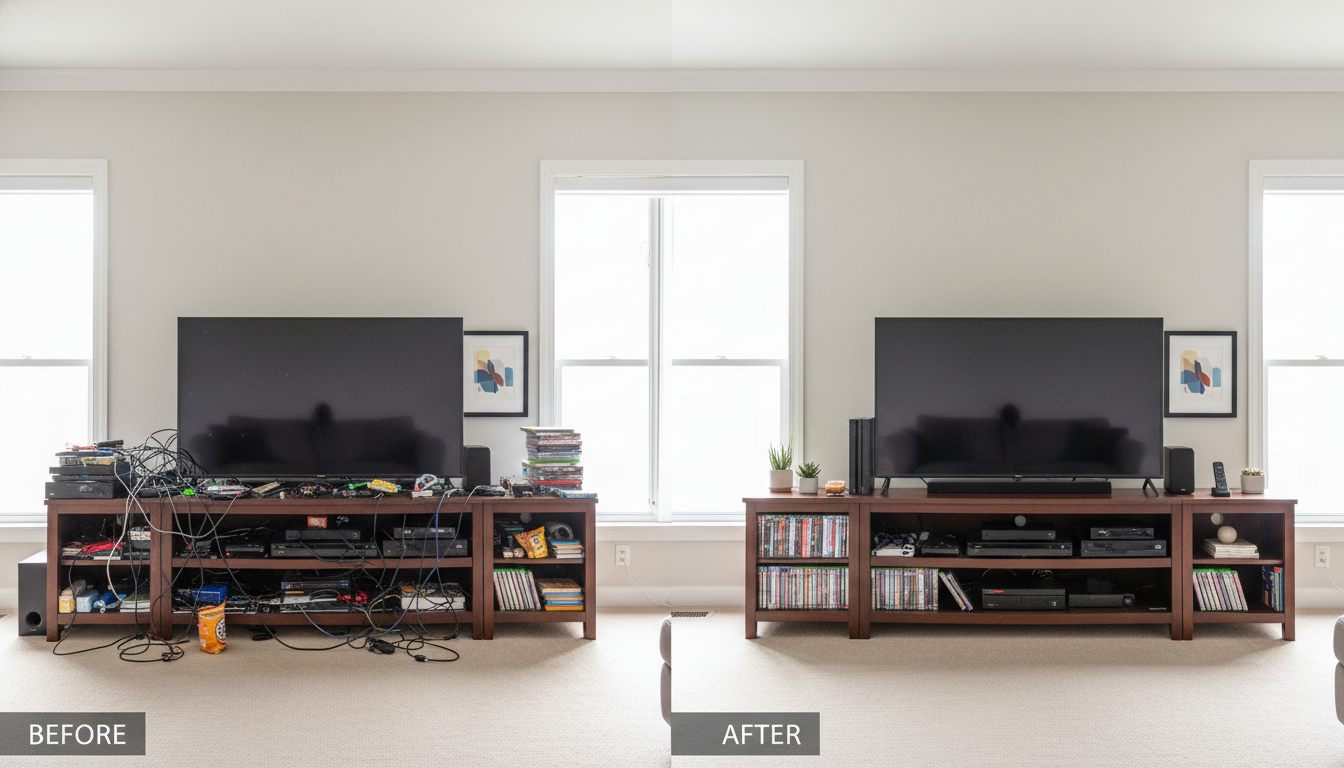
Building an Entertainment Center you enjoy using shouldn’t be a stressful task. Families often see this space as more than just a place to watch TV. It becomes the main spot to stream shows, play games, do work, unwind, spend time together, and display your favorite things. However when wires get tangled, games are hard to find, or remotes disappear into the couch cushions, this space can turn into a mess.
Here are some practical organization ideas, smart space-saving tricks, and useful tips from everyday life to help you create an Indoor Entertainment Center or Indoor Family Entertainment Center that suits your needs, makes good use of space, and looks great.
Shift Your Mindset to Tackle Most of the Clutter
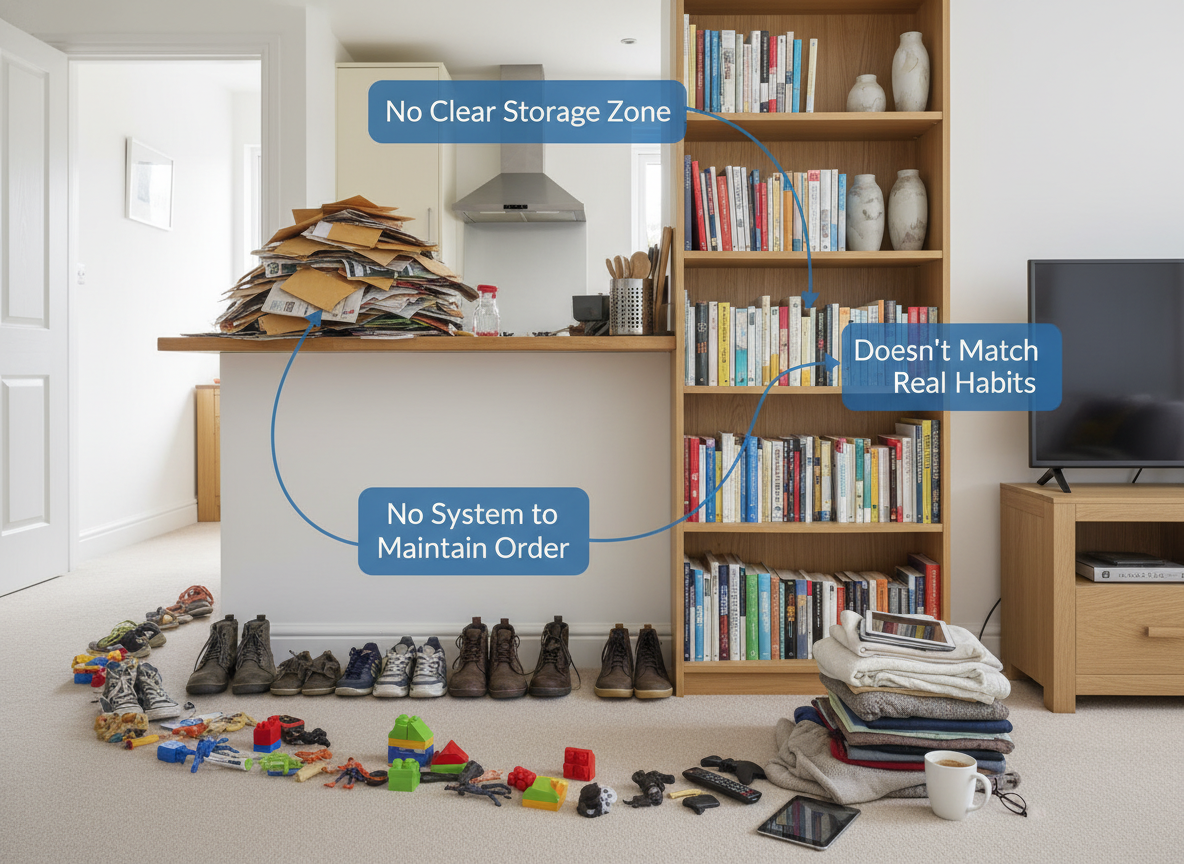
Clutter isn’t about owning “too much.” Instead, it’s usually the result of poor systems. When items don’t have clear storage spaces, tidy routines are hard to maintain, or your setup doesn’t match your family’s daily habits, clutter naturally builds up. You don’t need a fancy flawless media wall like the ones on Pinterest. You just need a space that suits how your family lives.
Talk with your family and think about:
- What do we use every day?
- What keeps piling up on the floor or coffee table?
- What gadgets are here now, and which ones might show up soon?
When you understand how the space works, you can set it up in a way that lasts.
Step 1: Declutter with Intention (Skip Perfection)
A lot of similar guides overlook the emotional side, but clearing out clutter is where real change starts. Remember: keep what you use every week, think twice about things you need once a year, and let go of what you never touch.
What to take out right away:
- extra cables
- empty boxes for controllers
- old remotes that no longer work
- damaged electronics
- video games nobody plays anymore
- DVDs or CDs that already have digital backups
Step 2: Design Storage Zones for Media, Games, and Technology
To keep an entertainment setup indoors tidy and simple to clean, make separate zones. This cuts down the mess and speeds up organizing.
Zone 1: Gaming and Console Gear
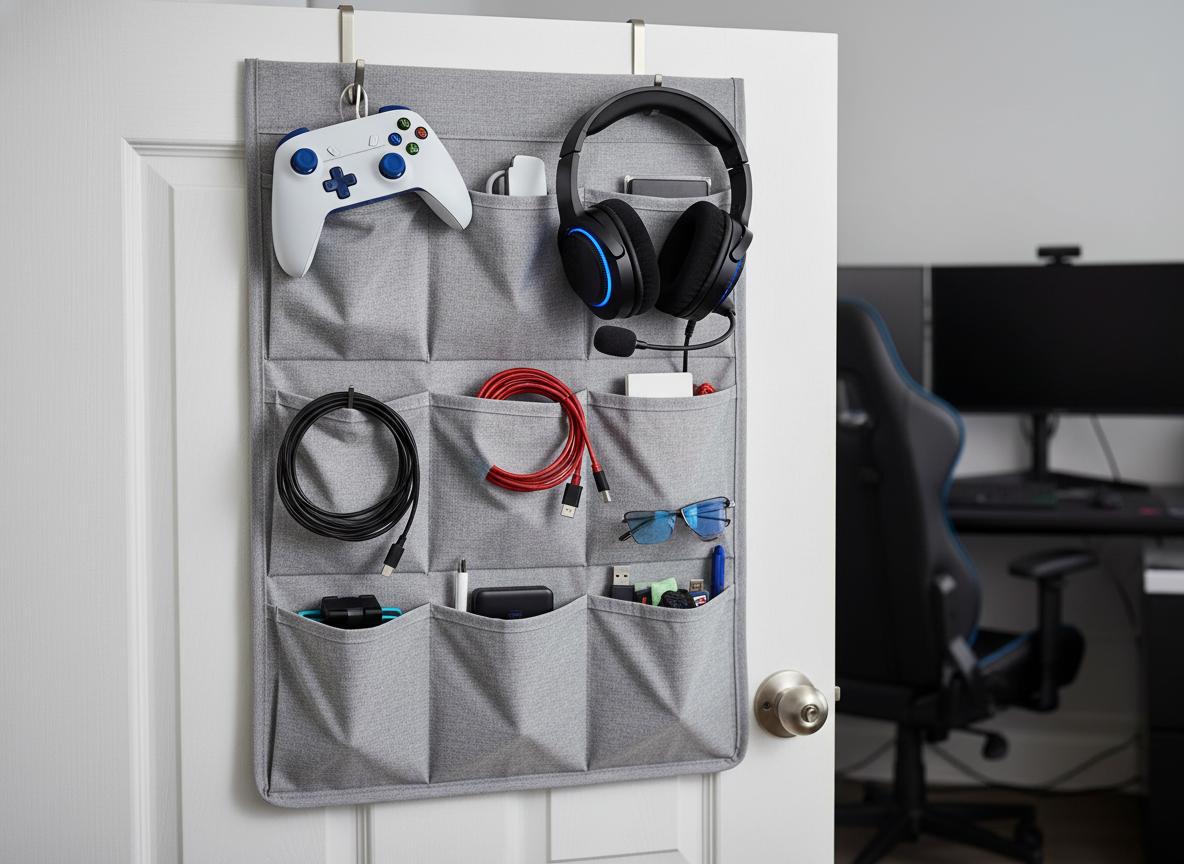
Common problems: messy cables, lost game parts, and cluttered shelves.
Ideas to fix it:
- Stand games upright to save space and see titles easier
- Swap out large boxes for zippered cases to keep things compact
- Put in shallow bins or drawers and label them by the gaming system
- Set up a specific dock where controllers stay and charge
Small-space idea: hang a door-mounted organizer to hold handheld controllers, headsets, and other gadgets.
Zone 2: Media Storage (If You Still Use Physical Media)

Streaming rules now, but if your entertainment setup includes DVDs, Blu-rays, or CDs, go with concealed storage to keep things tidy and stylish. You can choose cabinets that are slim with doors, spacious drawers perfect for kids’ stuff, or narrow baskets for items you need. At the present, acrylic dividers and labeled sleeves are replacing old clunky cases for a super sleek way to store your collection.
Zone 3: Electronics Organization
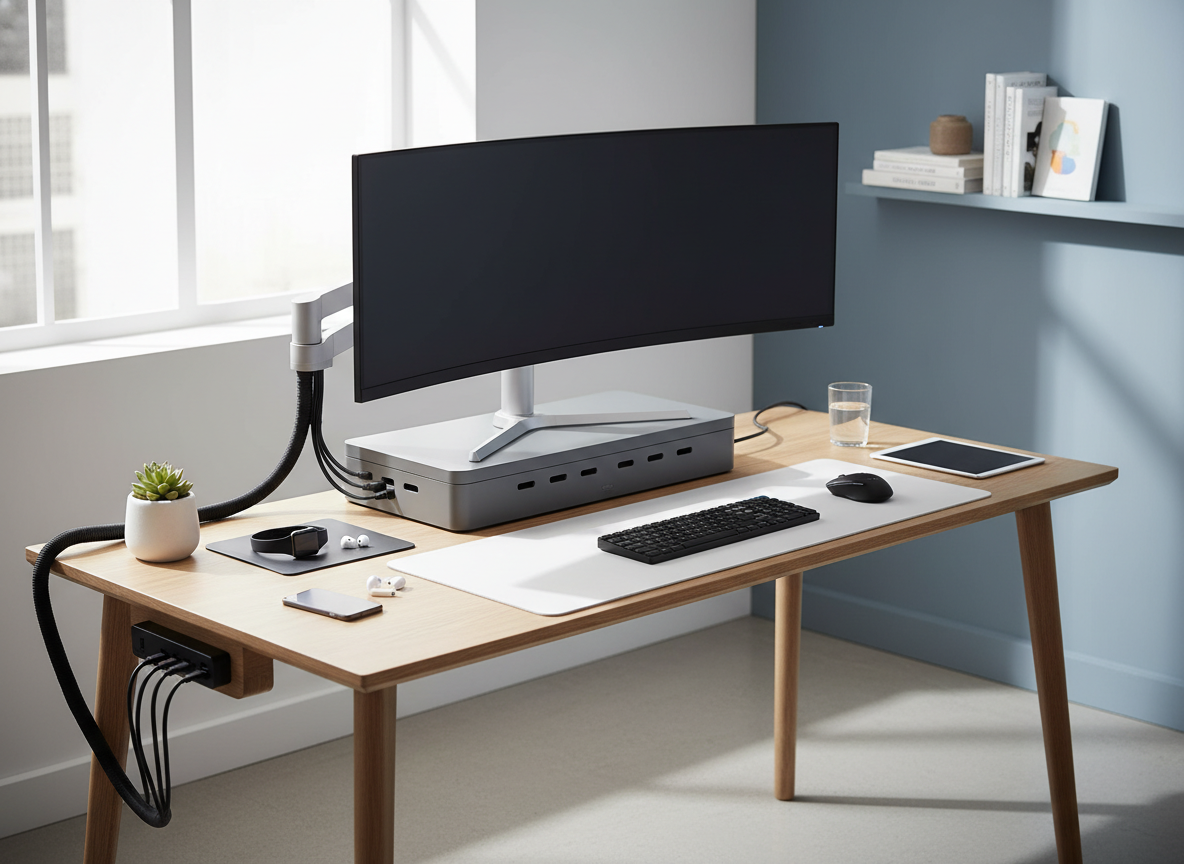
You store rarely used gadgets in discreet, hidden spaces, while keeping frequently used devices in easy-to-reach drawers. When setting things up, use cabinets with proper ventilation to prevent overheating, add pull-out shelves to neatly organize routers, modems, or hubs, and consider lockable storage to keep equipment secure, especially if you have small children.
Step 3: Take Charge of Messy Cords
Must-Have Cord-Management Items
- Cable sleeves for neatness
- Cord channels, which are safe for walls and can be painted to match
- Adhesive clips that stick under shelves
- Slim surge protectors that save space
- Velcro ties, which are easier to rearrange than zip ties
Add a Cable Map
Mark both ends of your cords with labels. A pro tip is to stick a simple diagram on the inside of the cabinet door. Doing this will save you time when moving furniture, taking consoles on trips, or fixing any issues with your setup.
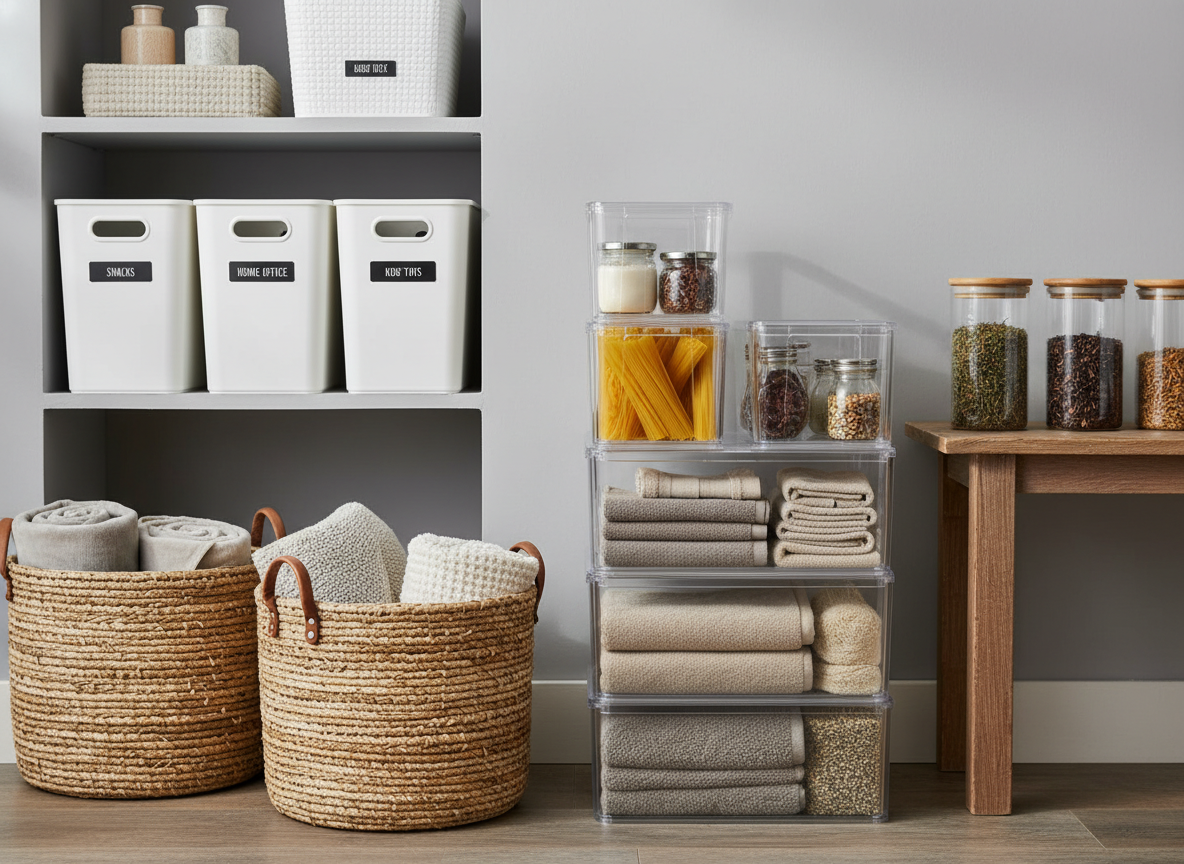
Step 4: Use Storage Containers To Make Clean-Up Easy
A Helpful Family Hack
Make a “Daily drop zone basket” to tidy up. Everyone can toss random items in there, and you sort it out later maybe once a week.
Best Bins for Indoor Entertainment Areas
- Use lidded baskets to store games
- Keep remotes and chargers in clear acrylic drawers
- Fabric cubes are great for children’s belongings
- Shallow trays help organize everyday items
- Use slim caddies to hold media gear
Choosing the right storage containers helps everything fit your space, keeps items visible, and makes cleanup easier for everyone.
Step 5: Show Off What Matters
Display items that add personality and warmth to your space, such as travel souvenirs, framed photos, vinyl records, family pictures, houseplants, and unique collectibles. These pieces tell your story and make your home feel more inviting and lived-in.
On the other hand, keep everyday clutter out of sight to maintain a clean, organized look. Hide tangled cables, extra remotes, phone chargers, loose wires, instruction manuals, game accessories, and controller cords in drawers or storage bins so they’re easy to access without being visually distracting.
Turn your family Entertainment Center into something that tells your story, not just a dumping ground for stuff. Now the trend is using glass-front cabinets with LED lights to display personal items and keep them dust-free.
Step 6: Pick Space-Friendly Layouts
Think about the size of your room. Pick a media setup that makes the area feel open instead of crowded.
Tips for Small Living Rooms
- Use floating shelves instead of heavy bookcases
- Pick a slim floating media console
- Use a Frame TV or mount your TV on the wall to save floor space
- Add tall vertical shelves to store items upward
Ideas for Larger Rooms
- Install built-in wall units for a clean seamless design
- Combine open shelves with closed storage to add variety without overwhelming
- Combine TV and slat-wood panels to create the stylish centerpiece
Mixed-Use Spaces
- Flexible setups shift as your needs evolve
- Store things like work supplies, kids’ toys, and board games in closed cabinets
- Use rolling carts to rearrange gaming setups when you need to move them around
Step 7: Create a Charging and Tech Hub
Today, this feature has become a must-have in many homes, with hidden charging drawers built into cabinets being one of the most popular solutions. To make the setup truly functional, include wireless charging pads, a discreet power strip to manage cords, and separate compartments for phones, tablets, and game controllers. Built-in cable cutouts help keep wires organized, while ventilated sections ensure devices like routers stay cool and operate safely.
Step 8: Build Maintenance Routines You Can Stick To
Keeping things organized should help, not add more stress to your day. These steps will keep your Entertainment Center tidy and manageable.
Weekly 5-Minute Clean-Up
- Put remotes back in place
- Toss out any packaging
- Gather and store game pieces
- Wipe down surfaces that attract dust
Monthly Check-In
- Sort and tidy up cords
- Give away games you no longer play
- Clean smudges off screens and fingerprints
- Review if the setup still works for you
Step 9: Tips for Picking the Perfect Indoor Entertainment Center Furniture
Sizing
When it comes to sizing, position the TV so the screen sits at eye level when you’re seated for comfortable viewing. Choose a media unit that’s wider than the TV to provide proper balance and stability, and don’t forget to check the depth, which needs to be enough space for devices like game consoles and soundbars.
Storage Priorities
When setting storage priorities, look for large drawers that can easily hold kids’ items, open shelving to showcase décor and personal touches, and closed cabinets to keep tech devices neatly hidden and out of sight.
Daily Life Needs
When considering daily life needs, gamers should prioritize proper ventilation for cooling and enough space to dock devices, while families may benefit from designs that include easy-access storage for toys. Pet owners should look for durable cable covers that pets can’t chew through, and minimalists may prefer floating units and wireless setups to maintain a clean, uncluttered look.
Match Your Style
Match your media unit to your home’s overall style by choosing a design that fits your aesthetic, whether that’s a clean Scandinavian look, a calming Japandi feel, rustic elements with a modern edge, mid-century modern charm, or a contemporary style highlighted with bold black accents.
Layout Templates You’ll Love
Template 1: Maximize Your Small Space
- TV mounted on the wall
- Sleek floating shelf for media
- Two tall towers next to the TV
- A hidden channel for wires
- Decorative storage bins below the console

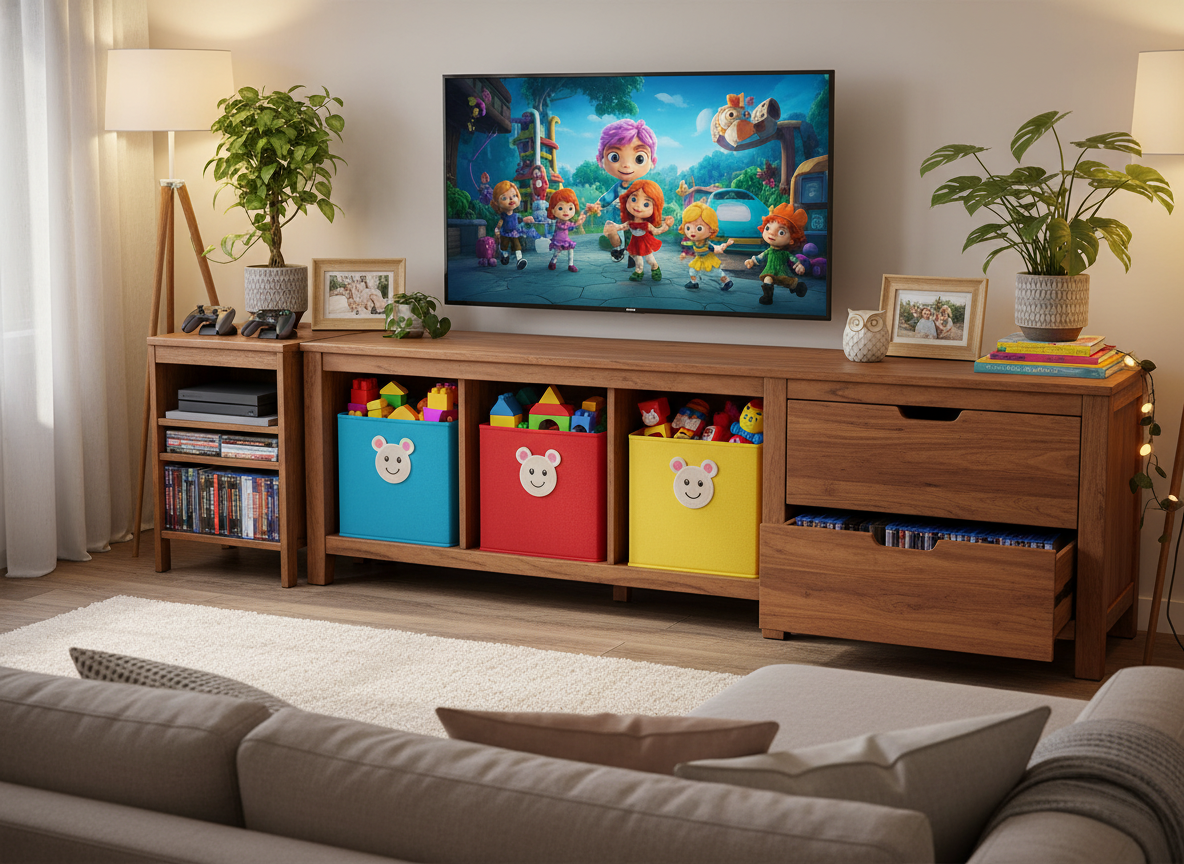
Template 2: A Family Entertainment Hub
- TV positioned in the center
- Shelves with kids’ drawers on the bottom
- The gaming area is set up to one side
- Media storage drawers on the opposite side
- Top shelves used for plants and decorations
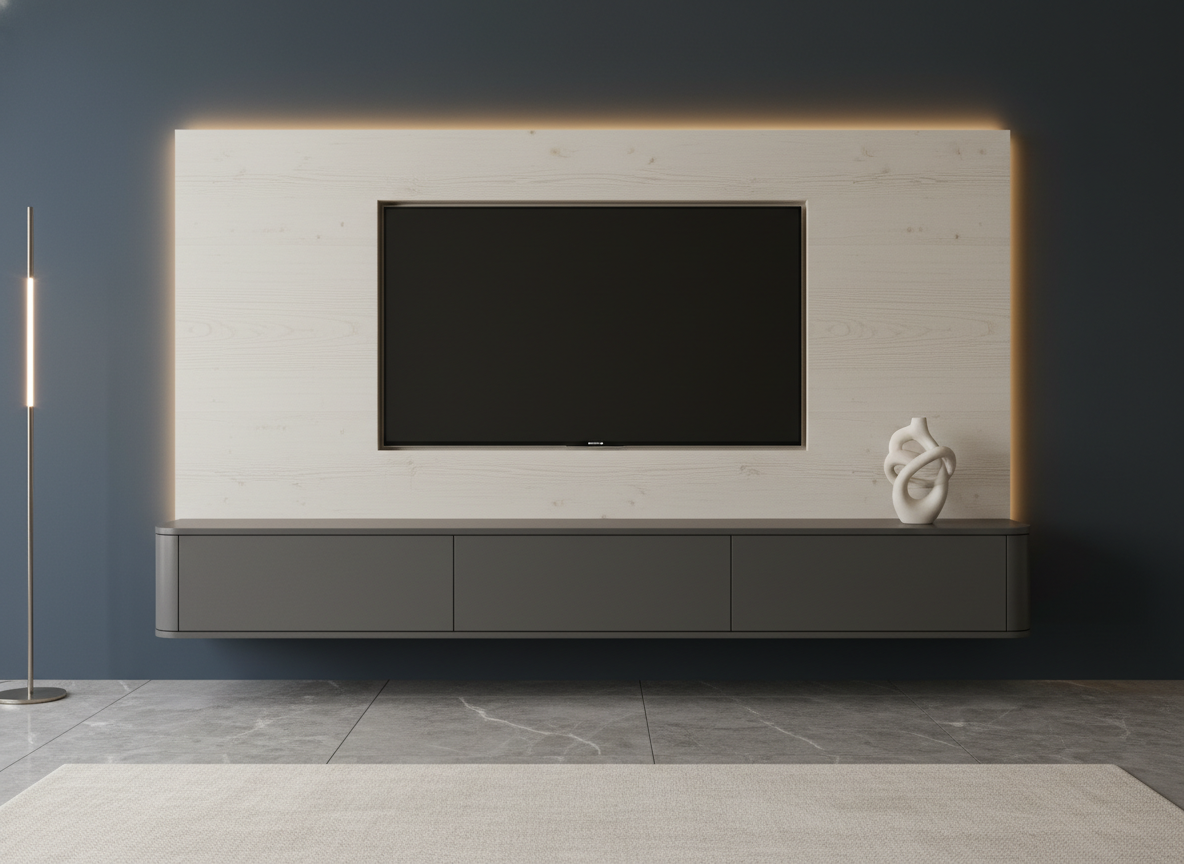
Template 3: Streamlined Minimalist Entertainment Setup
- Panel mounted flush behind the TV
- Floating cabinet by itself
- LED light strip for backlighting
- One unique decorative piece
- Hidden cable management
Modern Ideas to Look Into
- Media walls with slat panels
- LED strips placed behind shelves that float
- Furniture with wireless charging built-in
- Simple consoles that float off the ground
- Modular wall units you can customize
- Cabinets with hidden channels for cords
- Finishes in matte black
- Eco-friendly woods like reclaimed oak or bamboo
- TVs designed like frames that display art
These additions give your space an instant refresh and help it look put together and professional.
Conclusion: Make Your Indoor Entertainment Center Fit Your Everyday Life
Your indoor family entertainment center should let you stream, enjoy game nights without hassles, and create happy moments with your family, not add extra mess. With clearly defined zones, smart organization, hidden wiring, and a design that fits your lifestyle, your entertainment center can become more than just a place for electronics. Follow the advice in this guide to create a setup that makes the most of your space, works well with your devices, and gives everything a proper spot.