
Digital clutter builds quietly and almost unnoticed. One unread email turns into dozens, then hundreds. A handful of random downloads slowly transforms your desktop into a chaotic workspace. Photos become scattered across multiple devices, and important documents disappear into poorly labeled folders. Gradually, this invisible buildup creates real stress, wastes valuable time, and can even expose you to financial risk.
For busy professionals, students, remote workers, and families managing multiple devices, digital organization isn’t optional. It’s a foundational skill that protects productivity, privacy, and peace of mind. A structured digital system reduces frustration, supports efficiency, and ensures critical information stays accessible when needed. Creating digital orders doesn’t require advanced technical skills. With practical systems and consistent habits, anyone can gain control and maintain it long term.
Why Digital Organization Matters More Than Ever

Most households rely heavily on digital tools. Banking, medical records, work documents, school assignments, and communication all exist primarily online. When files are scattered or mislabeled, retrieving them wastes valuable time. Disorganization also increases risk. Important bills may get overlooked. Subscription renewals might slip by unnoticed. Sensitive data stored carelessly exposes households to identity theft or privacy breaches.
Beyond security concerns, digital clutter drains mental energy. Searching for a document across multiple folders or inboxes disrupts focus and increases stress. Organized systems create smoother workflows and support better decision making.
Start With a Digital Audit
Before building a new structure, assess your current situation. Open your desktop. Review your downloads folder. Scroll through your inbox. Examine cloud storage accounts. Identify patterns of clutter. Do files lack consistent names? Are there duplicate photos stored across devices? Is your email inbox overloaded with promotional messages? A digital audit clarifies what needs attention. Instead of trying to fix everything at once, prioritize high impact areas such as financial documents and work related files.
Create a Clear Folder Structure
A logical folder hierarchy forms the foundation of digital organization. Simplicity matters more than complexity. Overly detailed systems often fail because they become difficult to maintain. Start with broad categories such as Work, Personal, Finances, Health, and Home. Within each main folder, create subfolders only when necessary. For example, inside Finances you might include Taxes, Banking, Insurance, and Investments.
Use consistent naming conventions. Include dates in a standard format such as year month day to keep documents in chronological order. Avoid vague titles like Document1 or Final Version. Clear labels save time later. Once the structure is established, commit to storing every new file in its proper location immediately.
Tame Your Email Inbox
Email overload remains one of the most common digital challenges. An unmanaged inbox slows productivity and hides important communication.
Begin by unsubscribing from promotional emails you no longer read. Most platforms provide a quick unsubscribe option at the bottom of messages. Reducing incoming volume simplifies maintenance. Next, create folders or labels for key categories such as Bills, Work Projects, Receipts, and Travel. Move older emails into appropriate folders. Aim to keep your main inbox focused only on active tasks.
Adopt a simple rule. If an email requires action, respond or schedule it. If it serves as reference material, file it. If it’s unnecessary, delete it. Consistency prevents backlog.
Manage Photos and Media Files
Photos accumulate rapidly across smartphones, tablets, and computers. Without organization, thousands of images become impossible to navigate. Schedule time monthly to review and delete duplicates or blurry shots. Transfer important photos to a centralized cloud storage service. Organize images by year and event rather than vague categories. Backing up media files remains essential. Use both cloud storage and an external hard drive for added protection. Data loss can occur due to device failure, accidental deletion, or cyber incidents. Maintaining photo organization preserves memories while preventing overwhelming digital archives.
Strengthen Password and Security Practices
Digital organization extends into cybersecurity. Weak password habits create vulnerability. Using the same password across platforms increases risk.

A reputable password manager securely stores login credentials and generates strong, unique passwords for each account. This tool reduces mental strain and enhances security simultaneously. Enable multi factor authentication whenever available. Additional verification steps protect sensitive information such as financial accounts and medical portals. Review account access periodically. Delete unused accounts to minimize exposure. Organized security practices protect both personal data and financial stability.
Streamline Your Devices
Devices themselves require organization. Remove unused applications from smartphones and tablets. Rearrange apps into categorized folders such as Finance, Productivity, Health, and Entertainment. Clear your desktop regularly. A clutter free screen improves focus and reduces distractions during work sessions. Store files inside designated folders rather than leaving them scattered. Update software consistently. Security updates protect against vulnerabilities and improve system performance. Maintaining devices responsibly extends their lifespan and supports smoother operation.
Establish a Weekly Digital Maintenance Routine
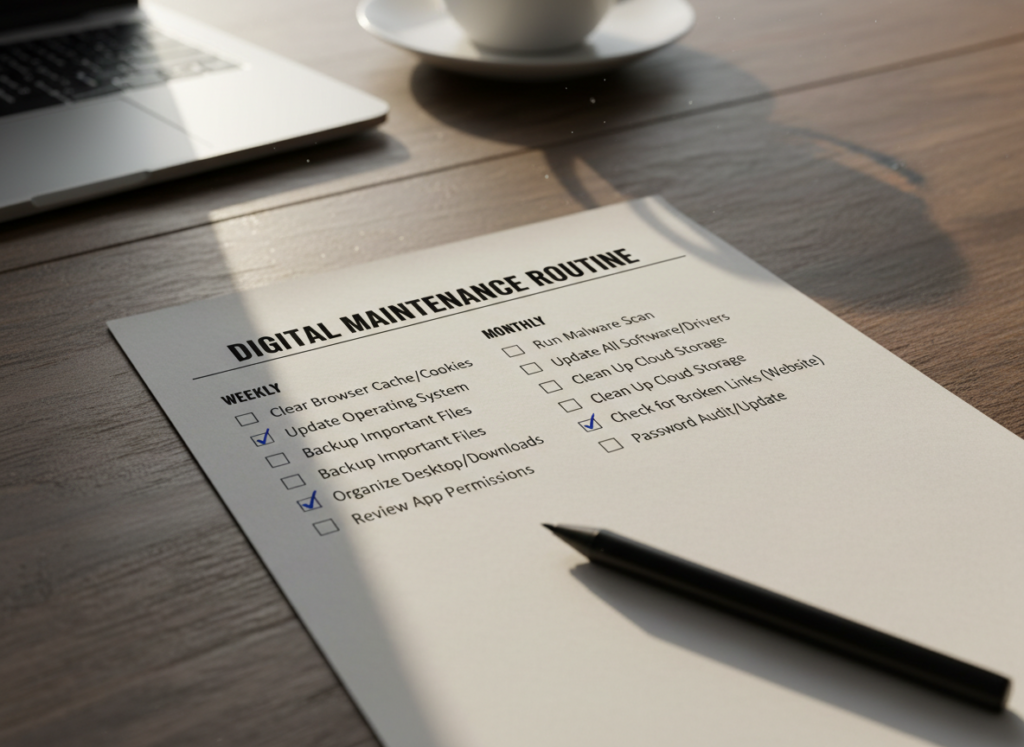
Digital organization requires ongoing attention. Without maintenance, clutter returns quickly. A short weekly routine prevents buildup.
- Review and file new documents
- Clear downloads folder
- Unsubscribe from unwanted emails
- Delete duplicate photos
- Update passwords if necessary
- Back up important files
This process often takes less than thirty minutes. Regular upkeep prevents overwhelming cleanup sessions later. Consistency matters more than intensity. Small, repeated actions preserve long term order.
Organize Financial Records Digitally
Financial organization deserves special focus. Store tax documents, insurance policies, loan agreements, and receipts in clearly labeled folders. Retain digital copies of major purchases for warranty purposes. Many financial institutions provide electronic statements. Download and file them systematically. Label each document with institution name and date for easy retrieval. Secure sensitive documents with encrypted storage when possible. Organized financial records simplify tax preparation and reduce stress during audits or major transactions.
Separate Work and Personal Digital Spaces
Blending professional and personal files increases confusion. If possible, use separate user profiles or devices for work activities. At minimum, maintain distinct folder systems. Clear boundaries protect confidentiality and reduce errors. Accidentally attaching personal documents to work emails creates unnecessary risk. Organized separation strengthens professionalism and efficiency. Remote workers especially benefit from clear digital distinctions to support work life balance.
Minimize Digital Distractions
Organization also involves controlling digital noise. Disable non essential notifications. Limit social media alerts during work hours. Rearrange browser bookmarks into categorized folders rather than keeping a long unstructured list.
Use productivity tools to block distracting websites during focused sessions. Structured digital environments support deep work and improve time management. Reducing interruptions strengthens concentration and enhances overall output.
Build Habits That Sustain Organization
The most effective digital systems remain simple enough to maintain long term. Avoid overcomplicating folder hierarchies or using too many apps simultaneously. Create clear rules for yourself. Every file gets named properly before saving. Every email gets addressed within twenty four hours. Every device gets reviewed monthly. Habits determine sustainability. When organization becomes automatic, it requires minimal effort. Digital order supports mental clarity. Instead of feeling overwhelmed by unseen chaos, you gain confidence knowing everything has a place.
Conclusion
Simple digital organization practices protect productivity, security, and peace of mind. By conducting a digital audit, building a logical folder structure, managing email consistently, and maintaining secure password habits, households create efficient and reliable systems. Regular maintenance prevents clutter from returning. Organized financial records simplify important life events. Streamlined devices reduce distraction and support focused work.
In a world increasingly dependent on digital tools, staying organized strengthens both professional performance and personal stability. With practical steps and consistent habits, anyone can build and maintain a digital environment that feels clear, secure, and fully under control.