


Remote work has reshaped how many professionals structure their days. Spare bedrooms, dining tables, and even living room corners have transformed into full time workstations. While working from home offers flexibility and eliminates commuting time, it also introduces new challenges. Distractions increase, boundaries blur, and clutter builds quickly when professional and personal life share the same square footage.
Creating an organized home workspace directly impacts productivity, focus, and mental clarity. A well structured environment reduces decision fatigue, supports better time management, and enhances overall job performance. With thoughtful planning and practical systems, anyone can build a home office that encourages deep concentration and sustainable output.
Why Organization Matters in a Home Office
Physical space influences cognitive performance. Visual clutter competes for attention, even when you don’t consciously notice it. Papers stacked on desks, tangled cords, and scattered office supplies create subtle mental strain. In the long run, that strain reduces efficiency and increases stress. Many households now include at least one remote worker. In dual income families, shared spaces must accommodate overlapping schedules and virtual meetings. Organized systems prevent conflict and preserve professionalism during video calls. A structured workspace also signals a mental shift from home mode to work mode. When the environment supports focus, productivity improves naturally.
Choose a Dedicated Work Zone
The first step toward effective work from home organization involves defining a specific area for work. Even in smaller homes or apartments, carving out a consistent workspace strengthens routine. Avoid working from bed or couch regularly. These areas are associated with relaxation and may weaken concentration. A dedicated desk, even a compact one, reinforces professional structure.
If space remains limited, consider foldable desks or wall mounted options that maintain separation. Position the workspace near natural light when possible. Exposure to daylight supports alertness and reduces fatigue. Ensure the background behind your desk remains tidy, particularly for video conferences.
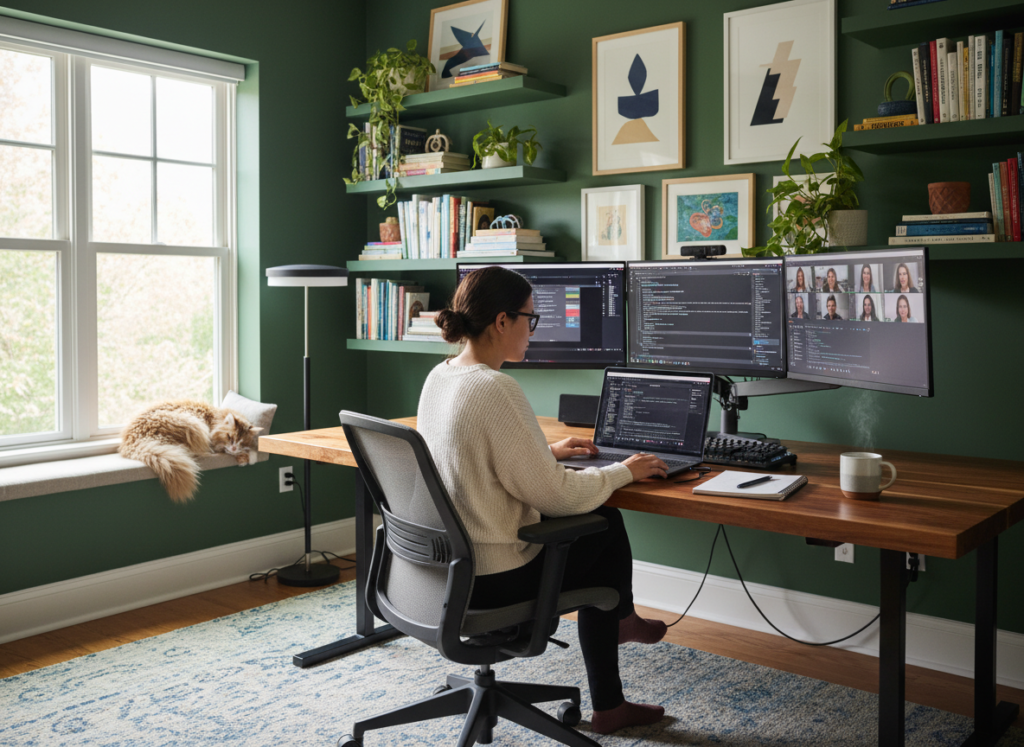
Optimize Desk Layout for Efficiency
Desk organization should prioritize accessibility and minimalism. Keep frequently used items within arm’s reach and remove unnecessary objects. Start by clearing the entire surface. Reintroduce only essential tools such as a laptop, monitor, notebook, and a few writing instruments. Everything else should have a designated drawer or organizer.
Cable management improves both aesthetics and safety. Use clips or cord organizers to prevent tangling. Label chargers and adapters to avoid confusion, especially in households where multiple devices coexist. An uncluttered desk reduces visual distractions and allows your mind to concentrate on high priority tasks.
Implement Smart Storage Solutions
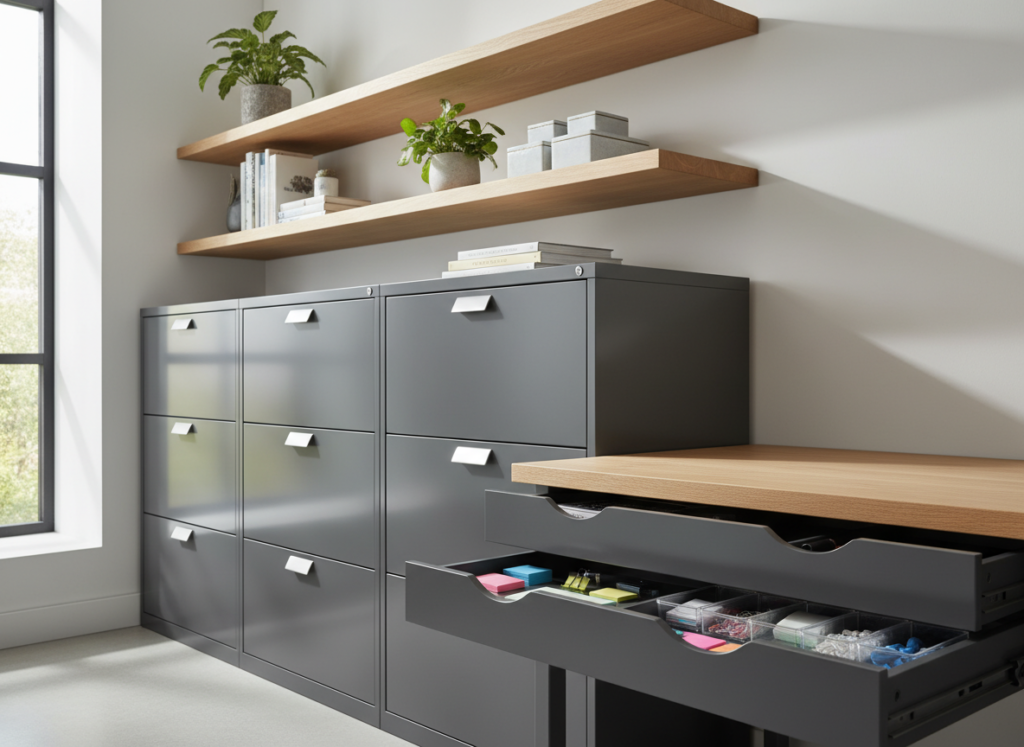
Storage plays a crucial role in maintaining order. Filing cabinets, floating shelves, and drawer organizers create designated spaces for paperwork and supplies. Paper clutter often becomes the biggest challenge in home offices. Digitizing documents whenever possible reduces physical accumulation. Scan important papers and store them securely in cloud systems. Keep only essential hard copies. Closed storage maintains a cleaner appearance than open shelving. However, if open shelves remain part of your design, use matching bins or baskets to create visual consistency. Maintaining a simple storage system ensures items return to their proper place after use.
Daily Reset Habits That Protect Productivity
Consistency prevents buildup. A brief daily reset at the end of each workday preserves organization.
- Clear your desk surface completely
- File or digitize any loose papers
- Close unused browser tabs and organize digital folders
- Charge devices and prepare tools for the next day
- Remove personal clutter that migrated into your workspace
This routine takes less than ten minutes but significantly improves next day efficiency. Beginning the morning with a clean workspace supports immediate focus rather than reactive tidying.
Separate Work and Personal Items
Blending personal and professional belongings increases distraction. Keep personal mail, household bills, and family items outside your designated work area. If you share your home with others, communicate boundaries clearly. A visible signal such as closing a door or wearing headphones can indicate focused work time. In shared spaces, using a portable storage box for work materials allows you to pack away professional items at the end of the day. Creating psychological separation supports healthier work life balance and reduces burnout risk.
Invest in Ergonomic Furniture
Organization extends beyond visual order. Physical comfort influences concentration and long term health. An adjustable chair with lumbar support reduces strain during extended work sessions. Proper desk height prevents shoulder tension and wrist discomfort. Monitor placement matters as well. Screens should sit at eye level to avoid neck strain. If necessary, use monitor stands or adjustable arms to achieve correct alignment. Investing in ergonomic essentials demonstrates commitment to sustainable remote work habits. Physical discomfort undermines productivity, even in a visually organized environment.
Manage Digital Clutter
Digital organization holds equal importance. Desktop icons scattered randomly, overflowing inboxes, and disorganized folders mirror physical clutter. Create clear folder structures for projects and archive completed work promptly. Use consistent naming conventions to simplify searches. Schedule regular inbox reviews to prevent overwhelming backlogs. Cloud storage systems help maintain accessibility while reducing local device clutter. When digital files stay organized, task retrieval becomes faster and less stressful.
Control Noise and Distractions

Home environments rarely match the controlled atmosphere of traditional offices. Children, pets, neighbors, and household tasks compete for attention. Noise cancelling headphones can improve concentration significantly. Soft background music or white noise may help block interruptions. Establish household schedules when possible to minimize overlap during critical meetings.
Visual distractions should also be minimized. Position your desk away from high traffic areas if feasible. Facing a wall rather than an open room can reduce movement based interruptions. Intentional control over the environment increases deep work capacity.
Personalize Without Overcrowding
A productive workspace should feel motivating, not sterile. Personal touches such as a framed photo or a small plant can enhance mood. However, avoid excessive decoration that clutters surfaces. Choose items that inspire focus and professionalism. A well placed calendar, a minimal artwork piece, or a vision board can reinforce goals without overwhelming visual space. Balanced personalization strengthens emotional connection to the workspace while preserving clarity.
Establish Clear Work Hours
Organization extends into time management. Without clear boundaries, work may spill into evenings and weekends. Define consistent start and end times whenever possible. Communicate availability to colleagues and household members. Turning off notifications outside work hours reinforces separation. Closing your laptop and physically leaving the workspace signals closure. Protecting personal time maintains energy and prevents chronic stress.
Maintain Flexibility as Needs Change
Remote work setups evolve. New roles, expanded responsibilities, or additional household members may require adjustments. Reevaluate your workspace periodically to ensure it still supports your goals. Declutter quarterly. Remove outdated materials and reorganize as necessary. Continuous refinement keeps the system functional and aligned with changing demands. Adaptability ensures long term success rather than temporary organization.
Conclusion
Effective work from home organization enhances productivity, focus, and overall well being. By establishing a dedicated workspace, optimizing storage, managing digital clutter, and maintaining daily reset habits, remote professionals create an environment that supports consistent performance.
Physical comfort, noise control, and clear boundaries strengthen both mental clarity and work life balance. When organization becomes part of daily routine rather than an occasional effort, distractions decrease and efficiency improves.
A focused and productive space doesn’t require a large home or elaborate renovation. With intentional planning and disciplined habits, any household can design a remote work environment that encourages achievement, professionalism, and sustainable success.
Related Articles
10 Work-From-Home Setup Ideas and Accessories to Maximize Productivity and Comfort